Home About Skills Projects Contact
UX Design Mobile App

Discover Movement Connect

Designing a Connected Coaching Experience for Sustainable Movement

Designed for a Functional Strength & Pain Management Gym

Role

Lead UX Designer, UX Researcher, Usability Tester, Interaction Designer

Duration

6+ months / ongoing

Responsibilities

End‑to‑end design from research and concept development to wireframing, prototyping, and visual design

Tools

Figma, Google Forms

01

Overview

Discover Movement Connect is a mobile application designed to unify scheduling, coaching, and client communication for a functional strength and pain management gym. The app integrates with the gym's existing scheduling and membership platform and replaces a third-party coaching tool as the primary method for delivering personalized training programs.

The project focused on reducing administrative friction for the coaching staff while giving clients a seamless, centralized experience for managing their training, booking sessions, and tracking progress.

02

Problem Statement

Coaches and clients rely on a patchwork of disconnected tools for scheduling, program delivery, and communication. Programs are delivered through one platform, scheduling through another, and communication through texts and email. This fragmentation leads to lost information, duplicated effort, and inconsistent client experiences.

The goal was to design a unified mobile experience that brings scheduling, coaching, and client communication into a single platform, keeping data synced with the scheduling platform automatically so the coaching staff can focus on what they do best.

03

Research

Research began with stakeholder interviews, workflow observation, and a review of the tools already in use. Key methods included:

Key Pain Points

1
Fragmented Tools

Coaches manage clients across multiple disconnected platforms, leading to duplicated work and lost context.

2
Progress Visibility

Clients lack a clear, centralized view of their progress, making it hard to stay motivated and track improvement.

3
Scattered Communication

Messages, updates, and program instructions are spread across texts, email, and multiple apps.

4
Program Delivery

Delivering and updating personalized training programs requires manual effort across disconnected systems.

04

Personas

Two primary personas were developed to represent the core user types: the coach/business owner and the client.

The Coach — Head Coach & PT

As the gym owner and head coach, he needs a unified tool to manage clients, deliver programs, and keep scheduling synced without juggling disconnected platforms.

Sarah — Client

As a busy professional focused on mobility and strength, Sarah needs a simple, accessible way to follow her training program and track progress without added complexity.

05

Wireframes

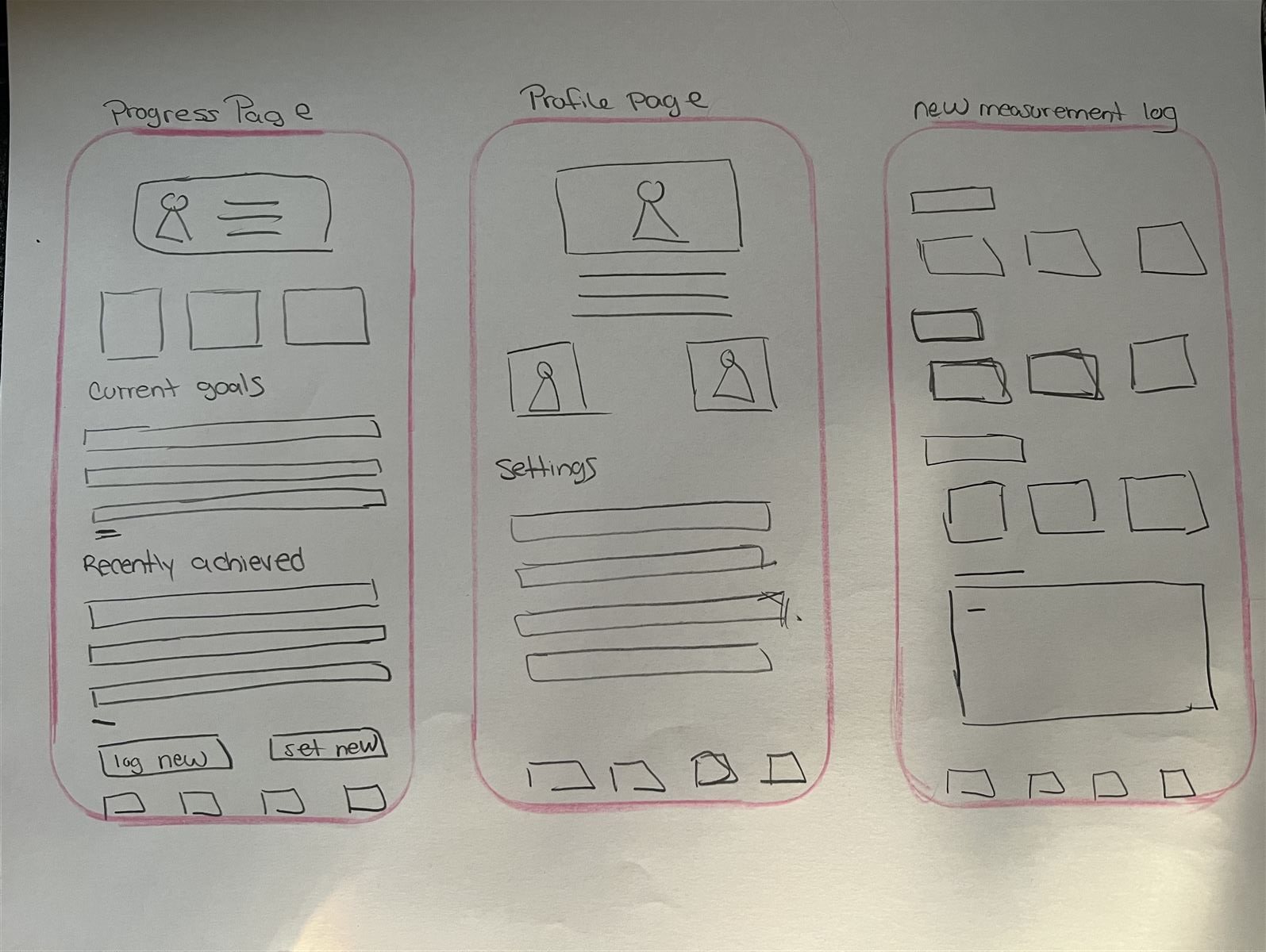
Initial wireframes were sketched on paper to explore layout and flow before moving into digital. The focus was on establishing clear information hierarchy and intuitive navigation across the five core screens.

Paper Wireframes
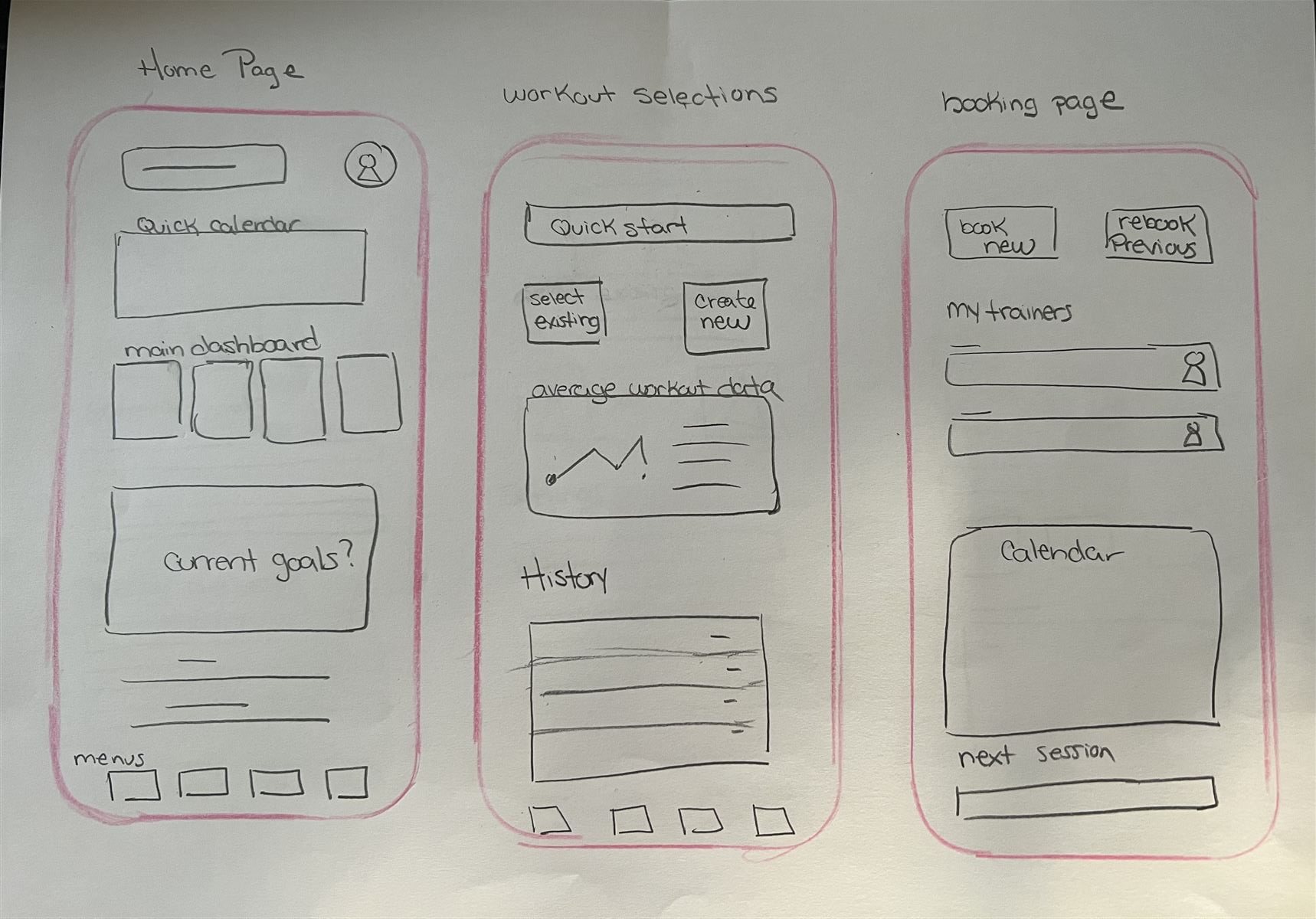
Paper wireframes — Home Page, Workout Selection, Booking Page Home · Workout Selection · Booking
Paper wireframes — Progress Page, Profile Page, Measurement Log Progress · Profile · Measurement Log

Digital Wireframes

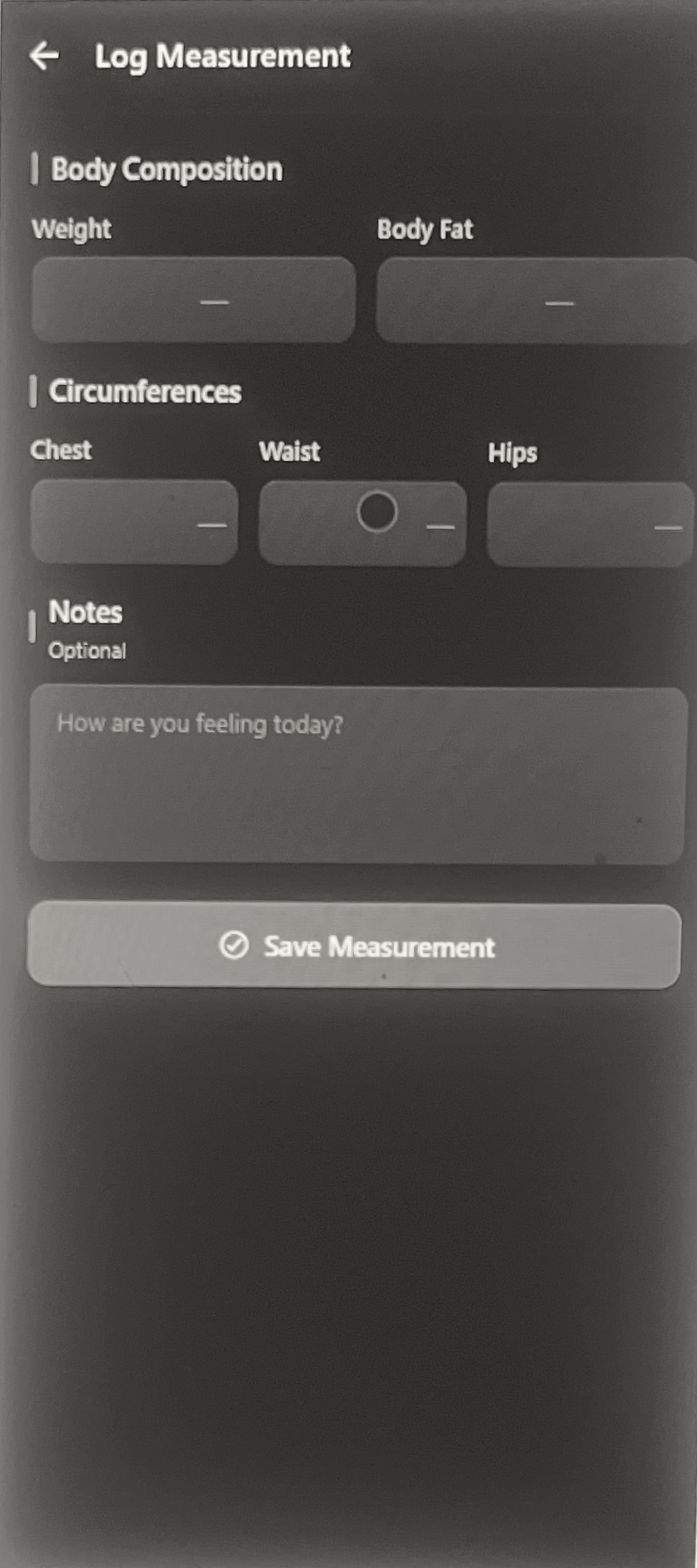
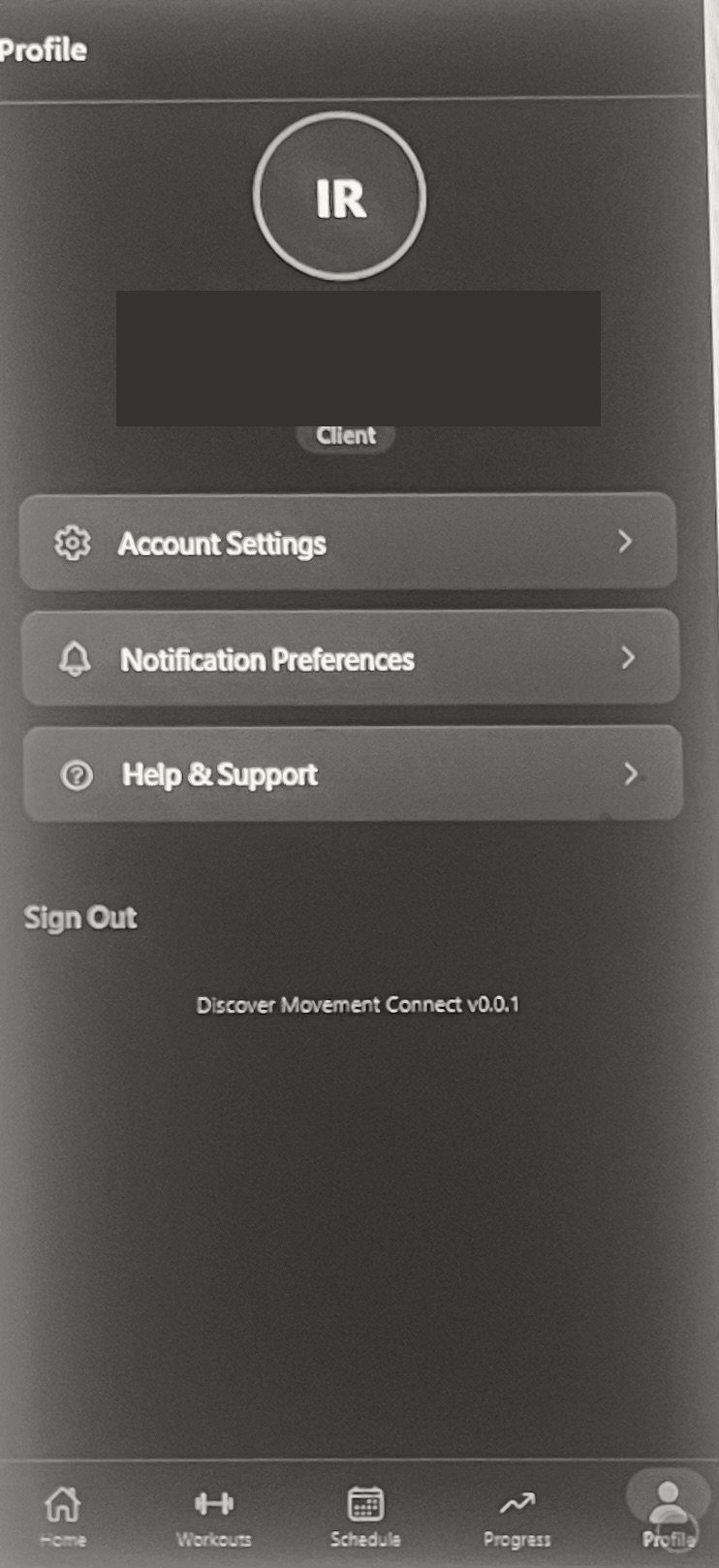
Paper sketches were translated into clean digital wireframes, focusing on layout structure, component placement, and user flow without the distraction of color or branding.
Digital wireframe — Home screen Home
Digital wireframe — Workouts screen Workouts
Digital wireframe — Schedule screen Schedule
Digital wireframe — Progress screen Progress
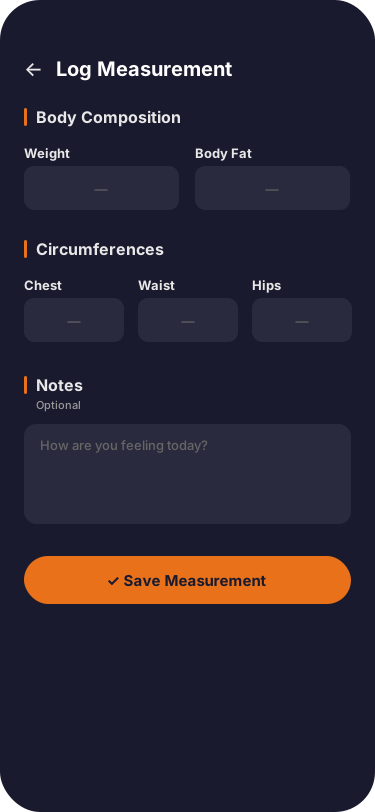
Digital wireframe — Log Measurement screen Measurement Log
Digital wireframe — Profile screen Profile
06

Lo‑Fi Prototype

The lo-fi prototype established the core layout and navigation structure with simplified visuals, focusing on screen flow and information hierarchy before applying the full visual identity.

Lo-fi prototype — Home screen Home
Lo-fi prototype — Workouts screen Workouts
Lo-fi prototype — Schedule screen Schedule
Lo-fi prototype — Progress screen Progress
Lo-fi prototype — Profile screen Profile
Lo-fi prototype — Log Measurement screen Measurement Log
07

Usability Studies

Usability study findings will be added as testing is completed. This section will include task success rates, key observations, and design iterations based on participant feedback.

08

Visual Design

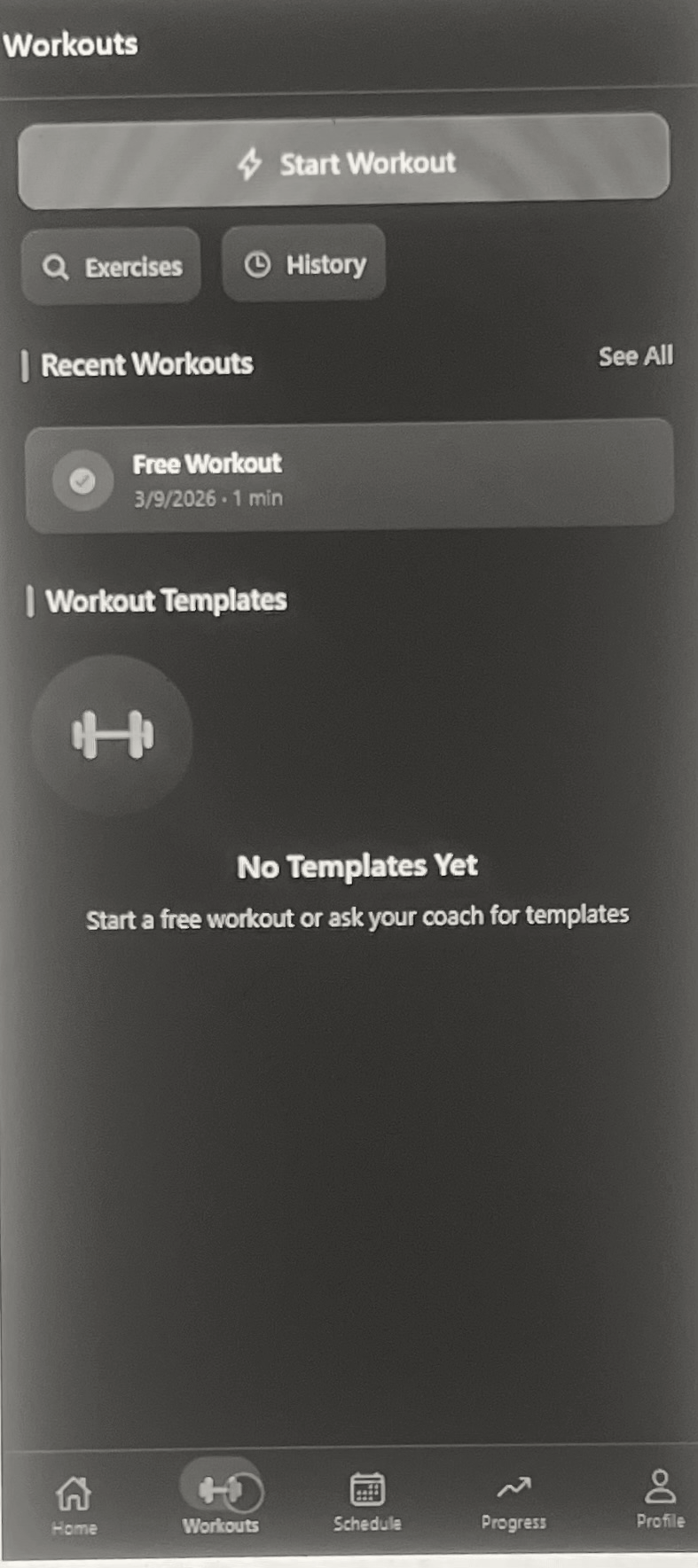
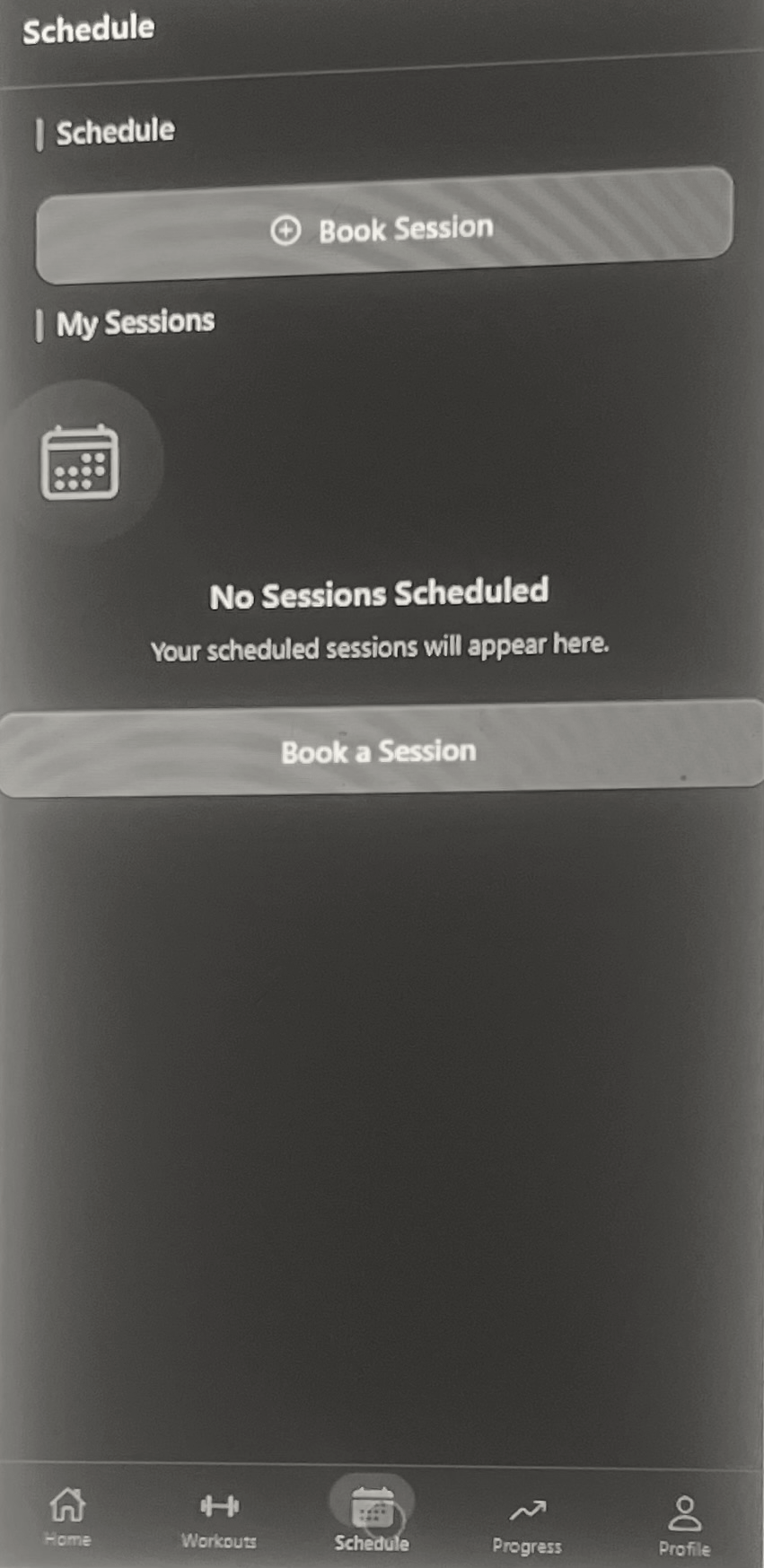
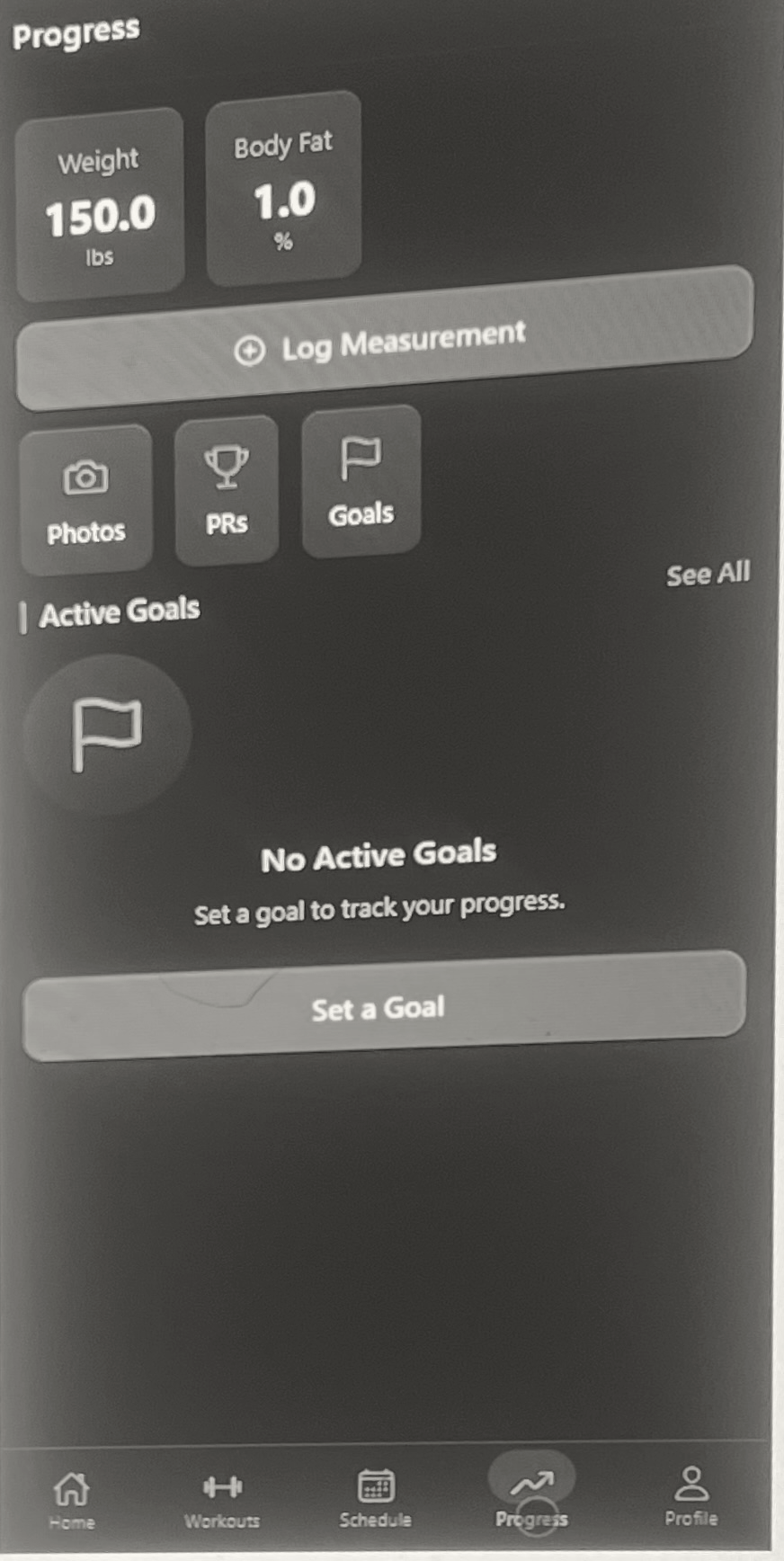
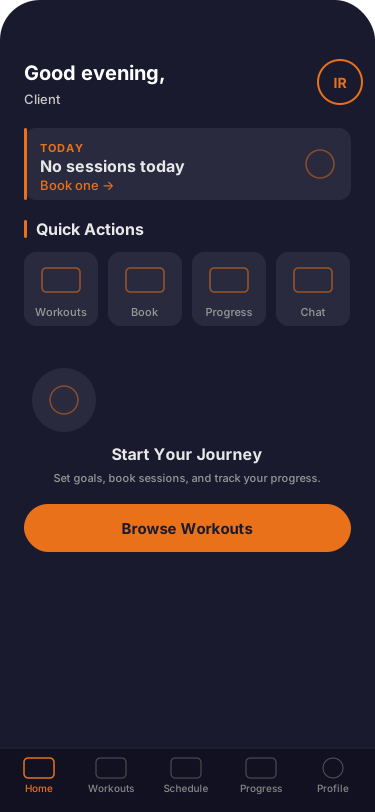
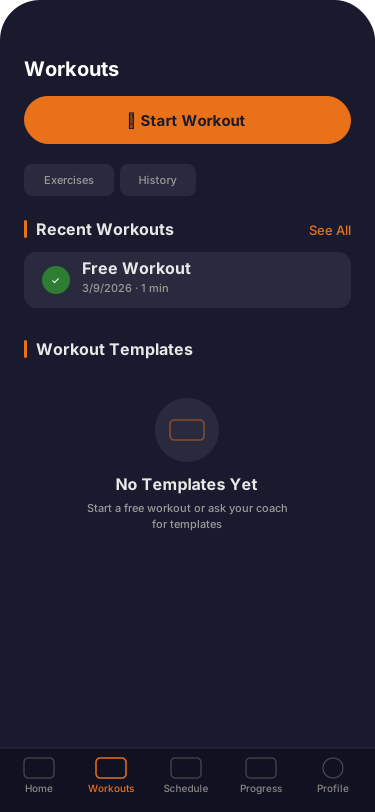
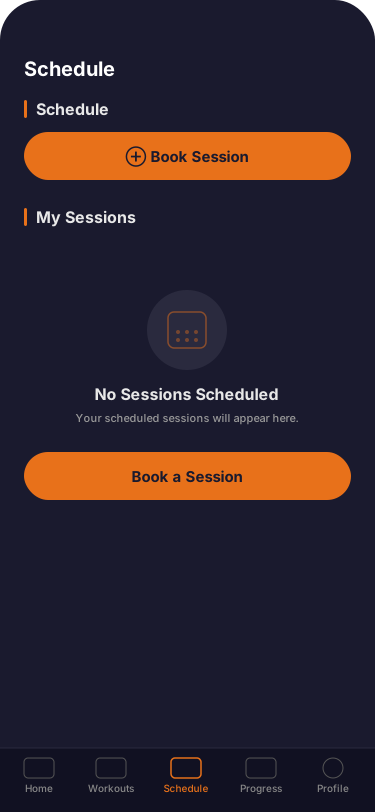
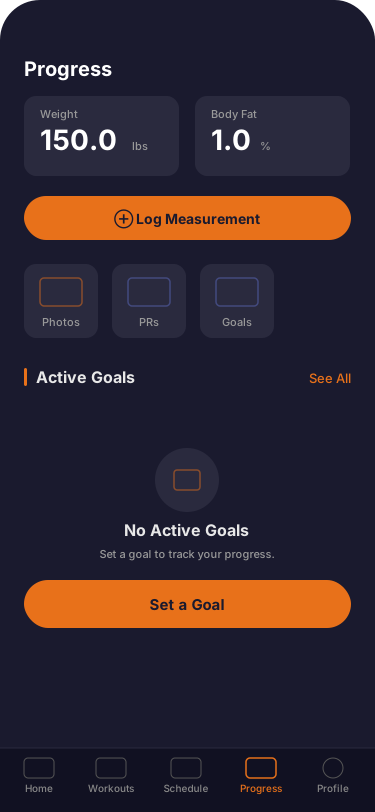
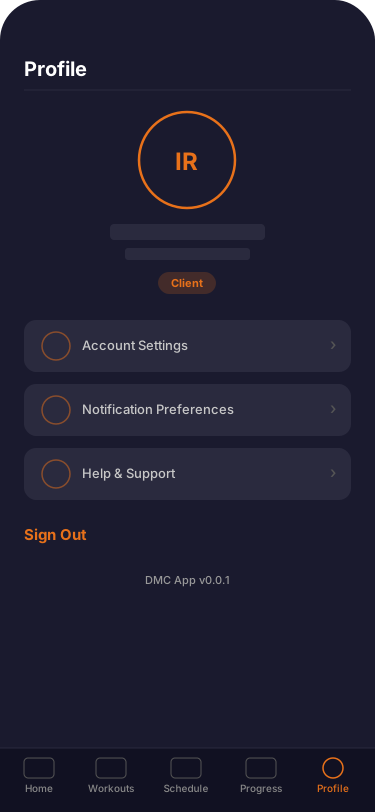
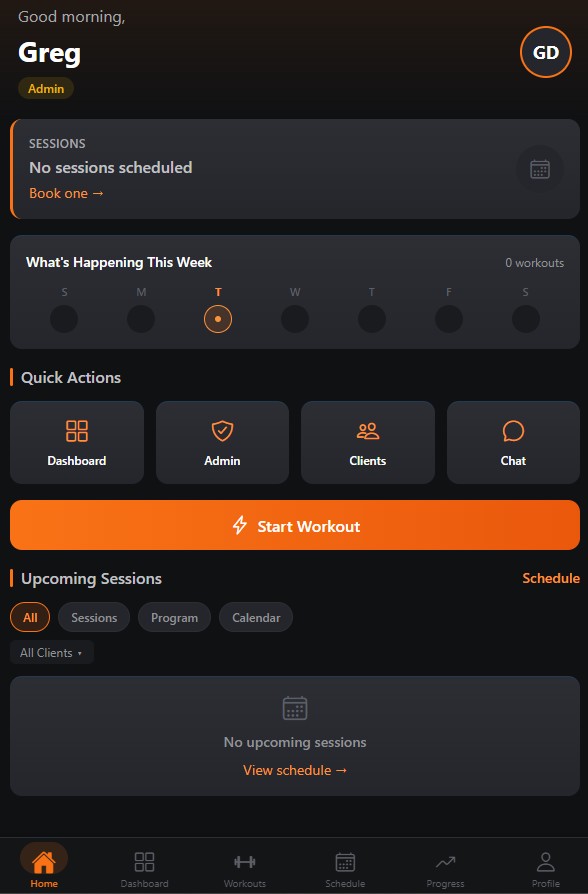
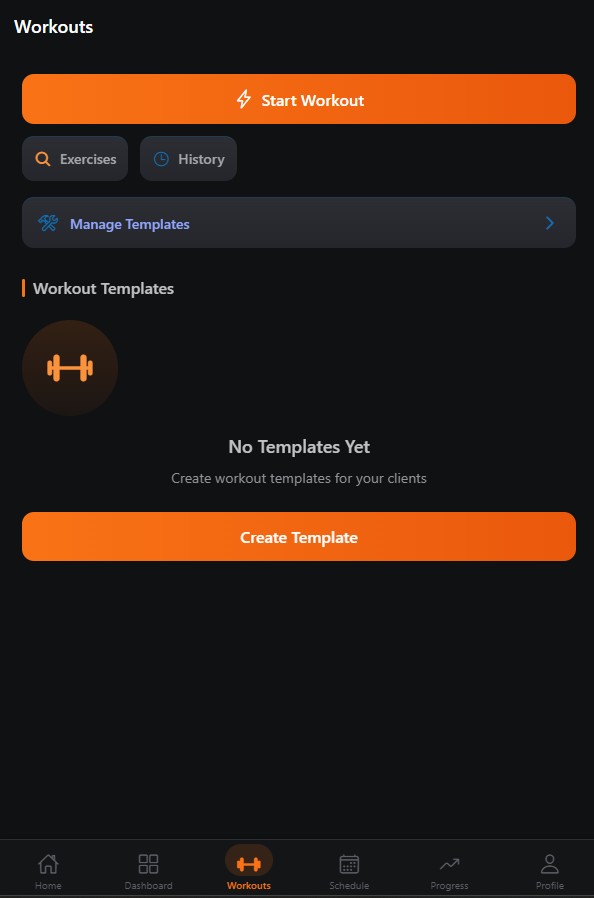
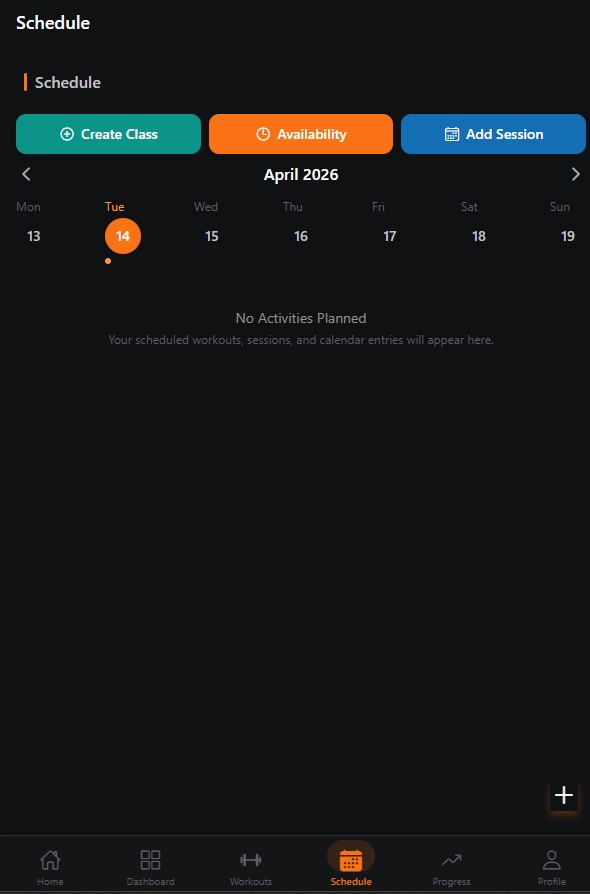
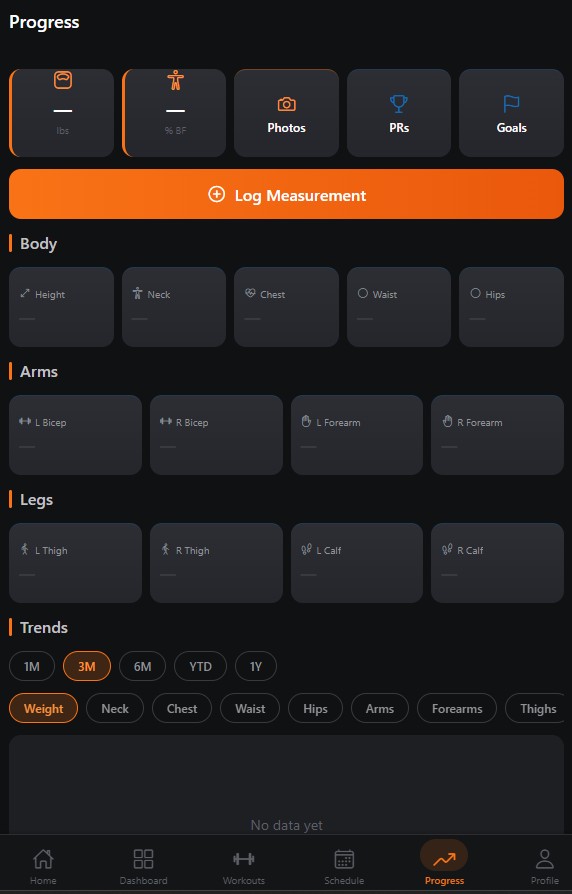
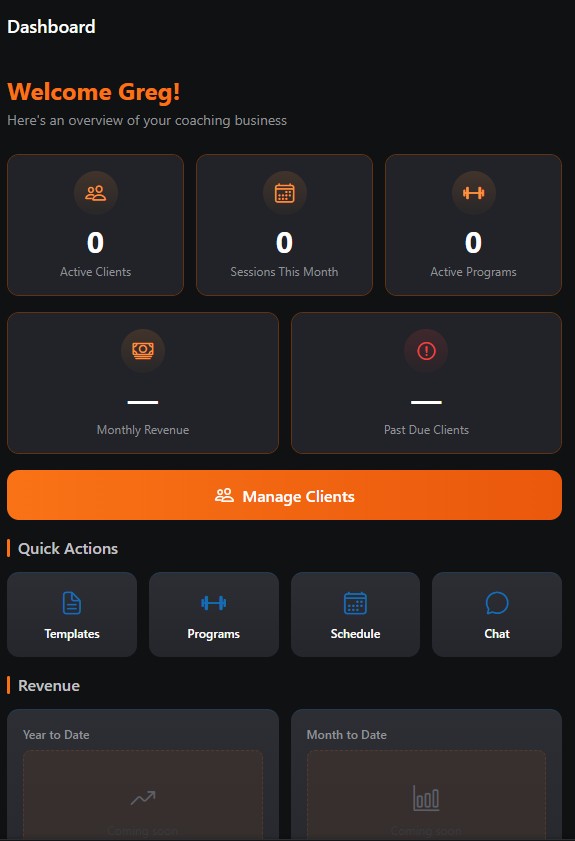
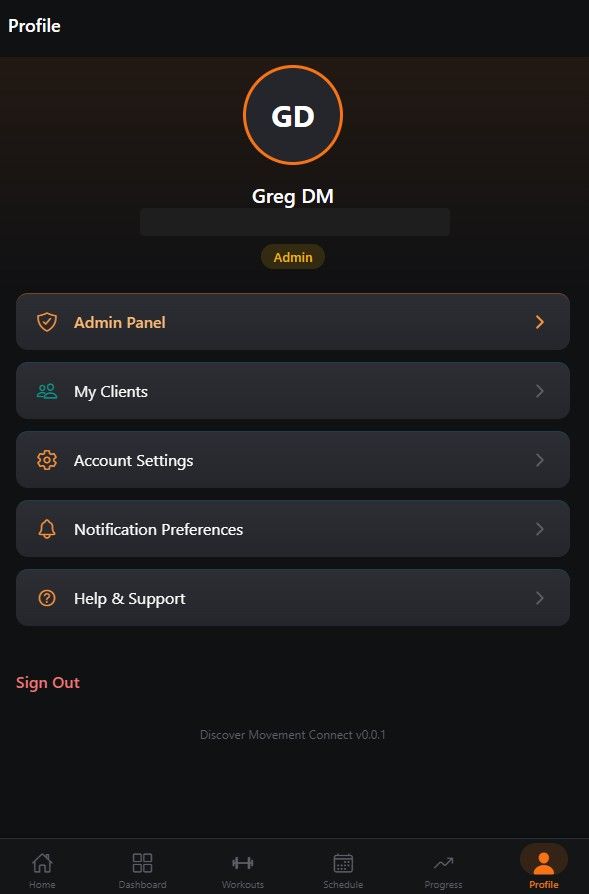
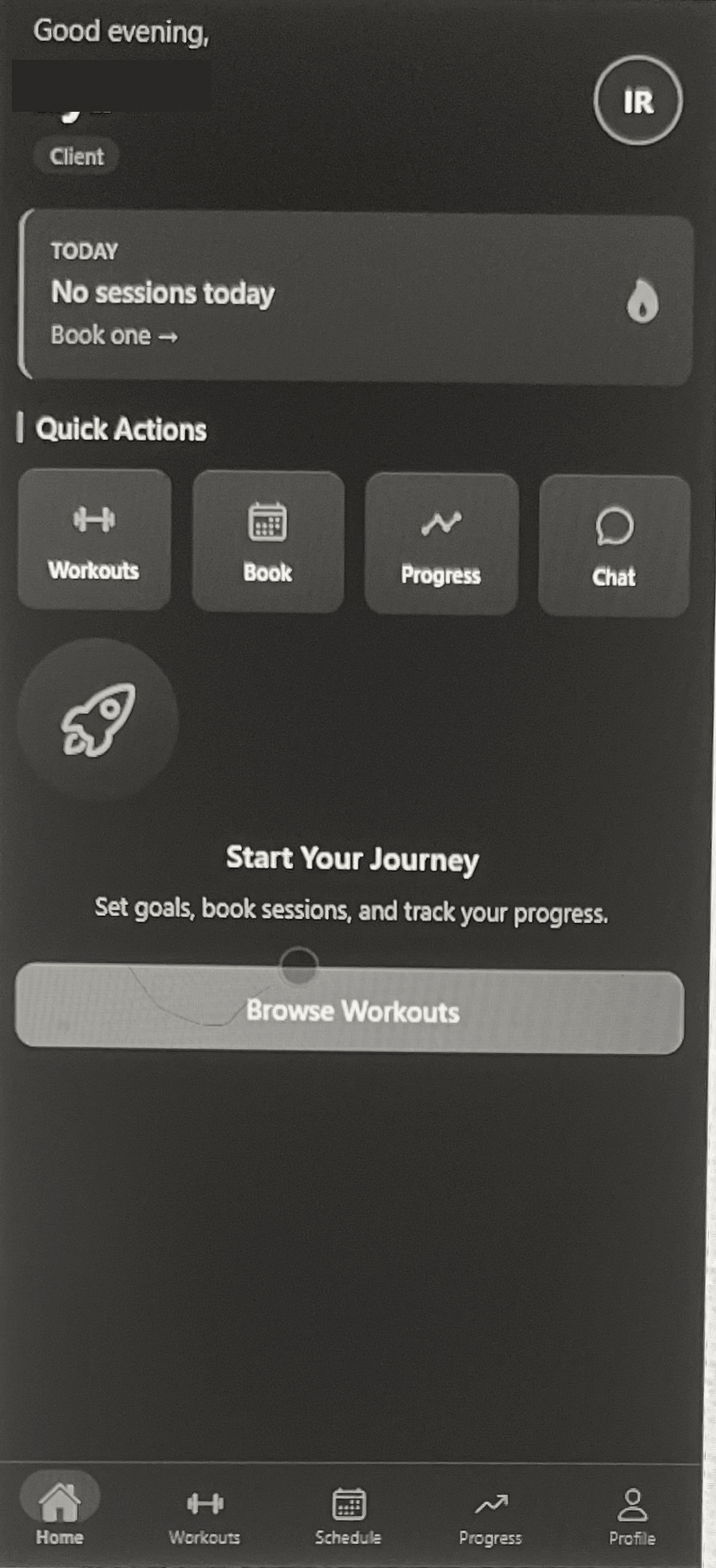
The high-fidelity prototypes bring the full visual identity to life, applying the brand's dark theme and orange accent colors to the refined wireframes with polished UI components and interactions ready for development.

Hi-fi prototype — Home screen Home
Hi-fi prototype — Workouts screen Workouts
Hi-fi prototype — Schedule screen Schedule
Hi-fi prototype — Progress screen Progress
Hi-fi prototype — Coaching Dashboard Coaching Dashboard
Hi-fi prototype — Profile screen Profile
09

Results & Takeaways

Project outcomes, key learnings, and next steps will be documented here upon completion.